 ClickUp Link Copier
List rows
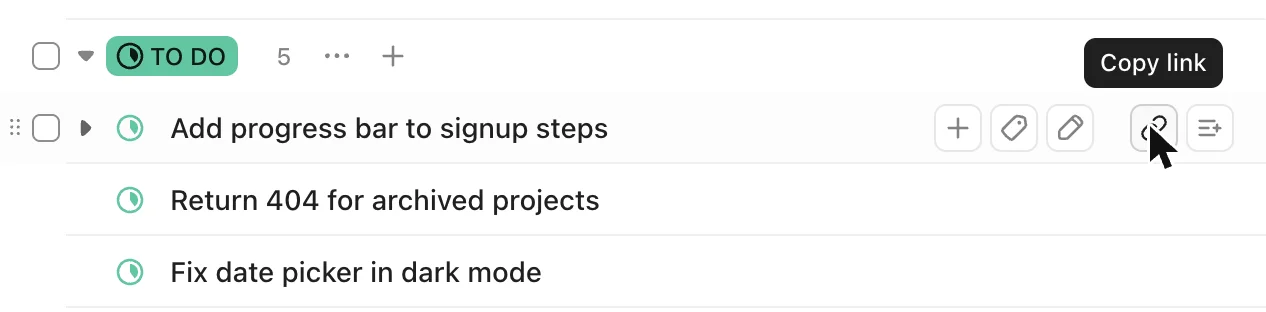
Hover a row and click the link button to copy that task. The button next to it adds the task to your list. Both sit right after ClickUp's own row buttons.
A free Chrome extension for ClickUp. Copy one task as a clickable title, or ⌥-click a handful and copy them as a list.
Free from the Chrome Web Store.
What shipped yesterday?
https://app.clickup.com/t/1234567/APP-398
https://app.clickup.com/t/1234567/APP-401
which ones were these again?
Try it: hover a task and copy it, or hold ⌥ and click a few, then press Copy. It writes to your real clipboard, so you can paste into Slack too.
Screenshots from ClickUp with the extension installed. The buttons look like ClickUp's own and follow its light and dark theme.
Hover a row and click the link button to copy that task. The button next to it adds the task to your list. Both sit right after ClickUp's own row buttons.
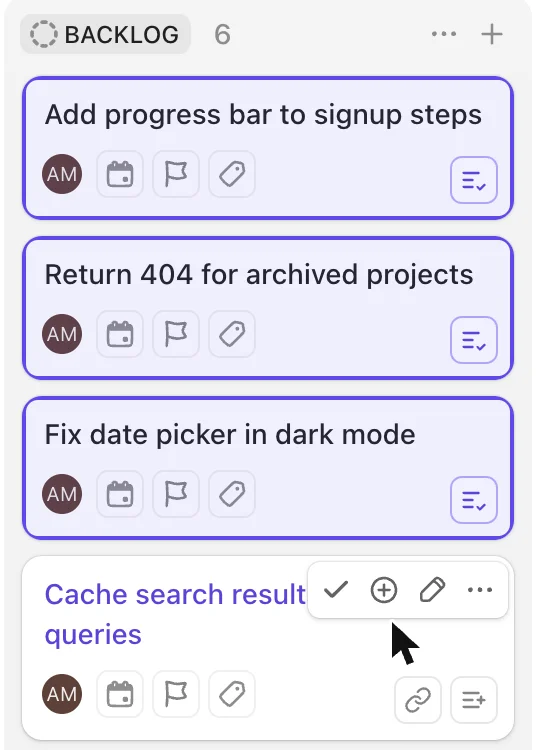
The same two buttons appear in the corner of a card when you hover it. Cards already in your list get a purple outline.
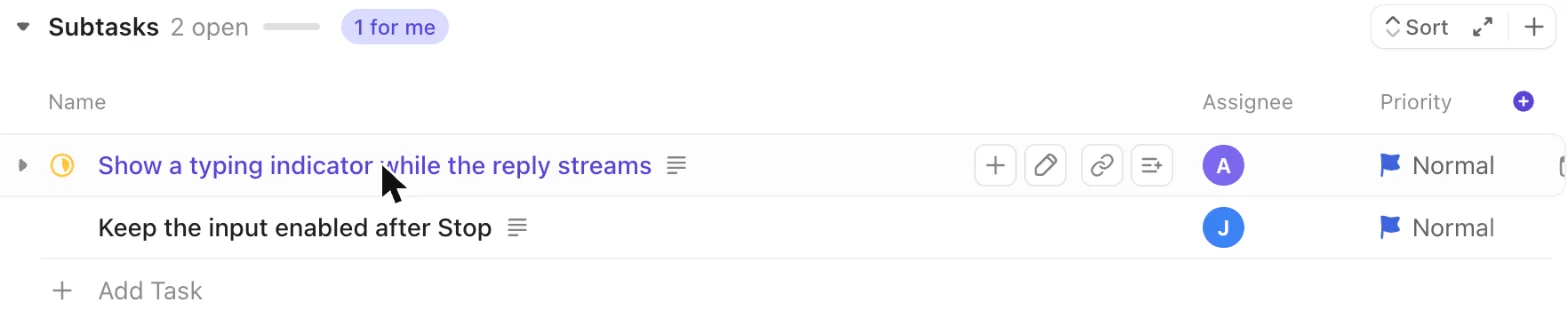
Subtasks on an open task get the buttons too, next to ClickUp's add and rename buttons.
Copy link and Add to list sit in the task header. The copied title uses the ID shown there, so custom IDs like APP-451 come through.

Hold ⌥ and click any task: a row, a card, a subtask, or a task link in a doc or comment. A dashed outline shows what will be added. Tasks in your list turn purple; click again to take one out.
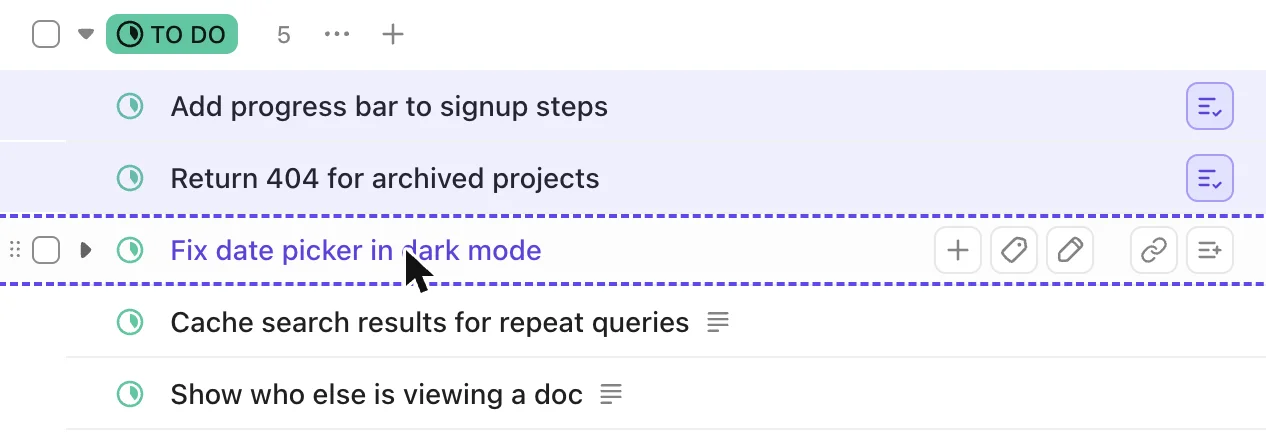
Once your list has a task, a bar appears at the bottom of ClickUp. Copy N links copies everything, and so does ⌥⇧C from anywhere in ClickUp. Removed or cleared something by mistake? The message that follows has an Undo button.

Click the count to see exactly what will paste. Drag rows to reorder them, copy or remove a single task, and turn task IDs on or off.
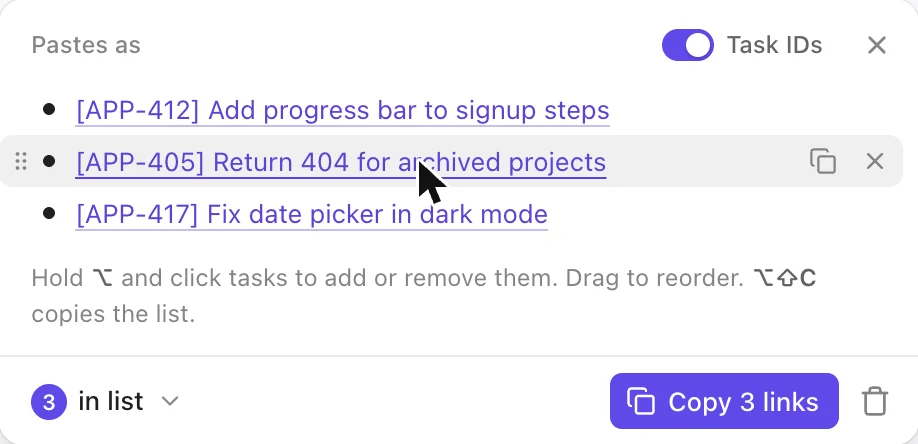
The toolbar button opens the same list, plus settings: the task ID prefix, the plain-text format for code editors and terminals, and clearing the list after copying. It works on ClickUp pages only.
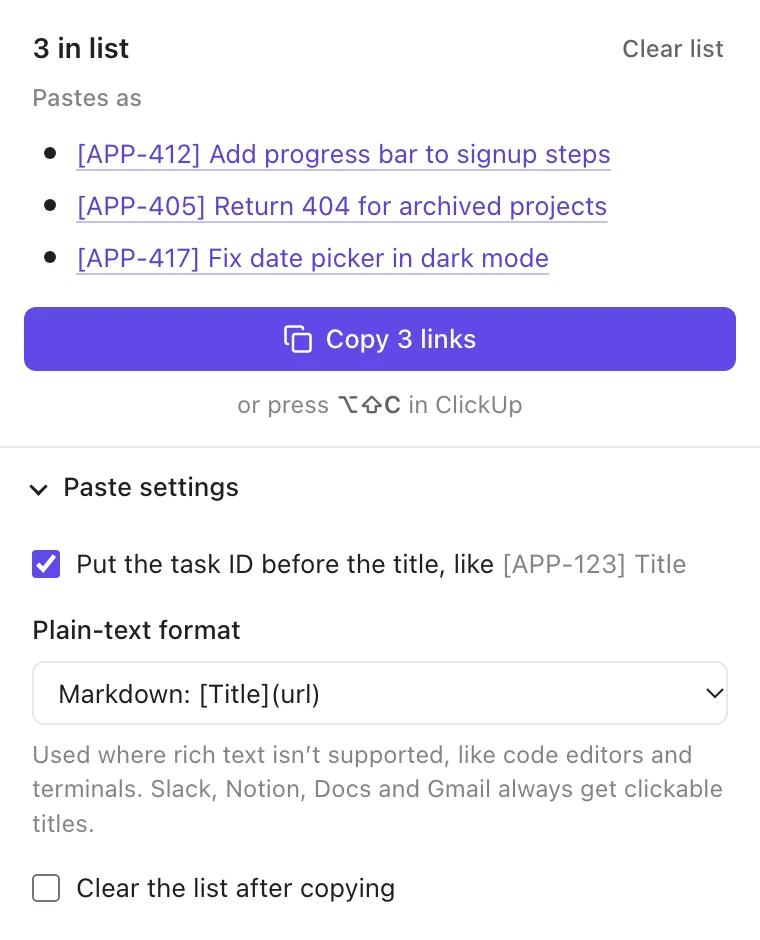
Each copy carries a rich version and a plain one, and every app picks what it understands.
Clickable titles, as a bulleted list when there are several.
Markdown links. Prefer Title — url or bare URLs? It's a setting.
Nothing you copy leaves your browser. There are no accounts and no analytics.
It runs on app.clickup.com and nowhere else. The toolbar button is greyed out on other sites.
The code is on GitHub under the MIT license. It asks only for storage and the clipboard.
Free, takes a few seconds to install, and works the next time you open ClickUp.